

Tablets have become widely available, offering a multitude of functions ranging from reading and gaming to work. Choosing an affordable tablet without compromising performance is crucial for optimizing the user experience. This article guides you through selection criteria, best maintenance practices, and tips for getting the most out of your device while staying within your budget.
Optimize the performance of your tablet
Tablets, despite their efficiency, can slow down over time. Regular maintenance is essential to preserve their responsiveness. First, consider uninstalling unnecessary applications that take up space and consume resources. Opt for “Lite” versions of your favorite applications to reduce memory consumption, such as Facebook Lite or Messenger Lite.
Next, free up space by clearing the cache accumulated by your apps. Weekly or monthly cleanups significantly improve performance. These simple steps help extend the life of your device while maintaining its performance. Effective file management, such as transferring photos and videos to external storage or the cloud, also helps free up space.
Adjusting system settings is also crucial. Regular restarts help calm the system by clearing RAM. Limit background processes that use the processor by going to Settings under “Battery optimization.” These simple practices ensure better performance every day.
Choose a tablet that fits your budget
The tablet market offers a wide range of products at all price points. It’s tempting to choose the cheapest option, but you must be careful not to sacrifice quality. An affordable tablet optimized for everyday use should offer good value for money, particularly in terms of processor and RAM.
These models have specifications tailored to specific uses, thus ensuring user satisfaction. Carefully assess your needs: for professional tasks or high-quality gaming, a more powerful, and therefore more expensive, tablet will be necessary.
By 2025, brands like Samsung, Xiaomi, and Realme will be offering tablets with excellent value for money. For example, the Samsung Galaxy Tab S10 FE is a mid-range option that includes a high-performance IPS display and an S Pen stylus. Meanwhile, the Xiaomi Pad 7 stands out with its 11-inch screen, ideal for an immersive multimedia experience.
View of the essential technical specifications
To choose the right tablet for you, certain technical aspects should not be overlooked. The screen size, often between 10 and 12 inches, is crucial for optimal viewing comfort. Opt for an IPS screen rather than a TFT panel for more vibrant colors and better viewing angles.
| Characteristic | Specificity |
| Screen | IPS, various sizes |
| Processor | Multi-core, 1.5 GHz and above |
| RAM | Minimum 3 GB |
| Operating system | Android or iOS, depending on preferences |
| Battery | Long battery life, fast charging |
Optimize battery life and settings
Battery life is a key factor when choosing a tablet. Adjusting the brightness settings and using the power-saving mode are effective ways to extend battery life. Adjust the brightness according to the conditions to conserve energy.
Using static wallpapers and limiting notifications helps reduce battery consumption. Additionally, regularly updating your operating system ensures you benefit from the latest performance and security improvements.
As a last resort, a factory reset can breathe new life into a slow device. However, this should be considered a last resort after exploring other options.
Useful applications and accessories for optimized use
Apps play a central role in the tablet user experience. Look for those that best suit your needs, whether for productivity, education, or entertainment. Using file management apps, for example, can make organizing data easier.
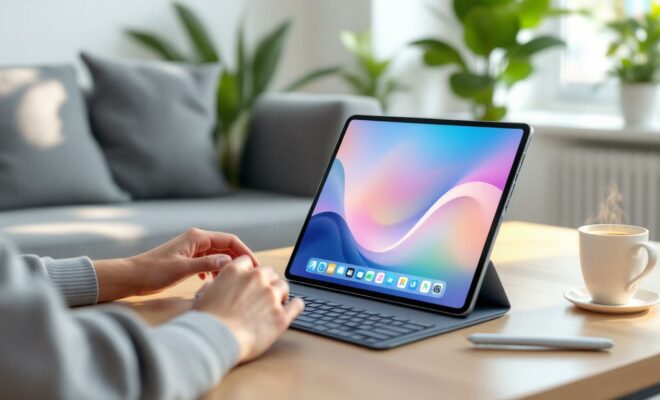
Accessories are also important. An external keyboard or a sturdy case for your tablet can improve comfort and extend the device’s lifespan. For professional use, a screen protector and an adjustable stand can transform a tablet into a true mobile workstation.
How to choose a good, inexpensive tablet?
Consider technical specifications such as memory, processor, and screen. Favor brands known for their value for money.
Which applications should be optimized for everyday use?
Opt for Lite versions of popular apps and organize them by category for easier use.
How can I extend the battery life of my tablet?
Use power saving mode, reduce brightness, and regularly update your tablet.

