

In the world of modern graphic design, the tablet has become an indispensable tool, offering a direct link between creativity and technology. Among the available options, Microsoft tablets stand out for their advanced features that meet the specific needs of graphic designers. These devices integrate functionalities such as a stylus, a high-resolution touchscreen, and pressure sensitivity —essential elements for precise and fluid creation. Let’s explore the advantages that make these tablets a preferred choice for design professionals.
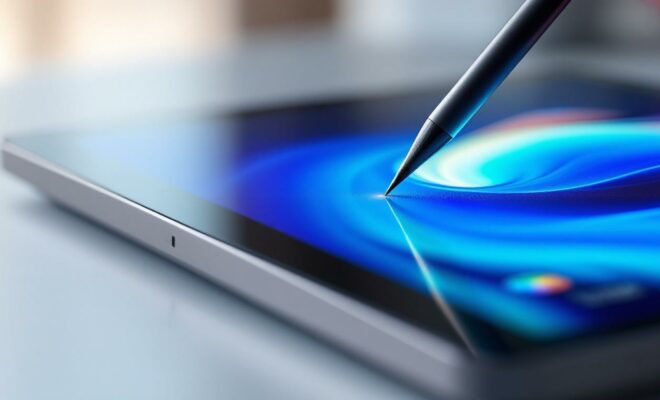
The precision of the stylus for limitless creation
For a graphic designer, precision is crucial. Microsoft tablets include a stylus with advanced sensitivity that allows for natural interaction. Featuring sensitivity levels, it captures every nuance of pressure and tilt, enabling variations in line thickness and the creation of complex gradients. This precision is enhanced by haptic technology that simulates the texture of paper, providing a more immersive tactile experience.
Color calibration is also optimized, ensuring that the colors displayed on the screen are accurate and consistent, which is crucial when designing visuals for print. In addition, the stylus is magnetic and attaches easily to the tablet, allowing for quick access and secure storage.
With these tools, graphic designers can not only quickly sketch ideas, but also refine their work with unparalleled precision. Whether for technical or artistic drawing, the stylus offers unmatched control and flexibility.
Compatible applications and software for graphic designers
Compatibility is a key factor for graphic designers using specialized software. Microsoft tablets are designed to support a wide range of graphics software such as Adobe Photoshop , Illustrator , and CorelDRAW . This compatibility ensures that the tools function at full capacity, offering a comprehensive suite of features for digital creation.
The Windows ecosystem enables seamless and fluid integration with these applications, promoting efficient workflows and reducing interruptions caused by hardware or software incompatibilities. Regular Windows updates also ensure that the latest improvements and security patches are always available.
Portability and autonomy for nomadic creativity
The ability to work on the go is a major asset for graphic designers, and here, the portability of Microsoft tablets makes all the difference. With a lightweight and compact design, these devices are easy to carry, making them ideal for professionals on the move.
In addition, the long battery life allows you to work all day without needing to recharge, even when using power-intensive applications. This provides added freedom to work in various environments, whether in a café, a shared office, or while traveling for business.
Connectivity and storage for complex projects
Microsoft tablets offer USB-C connectivity, which facilitates fast file transfers and connections to various peripherals, such as external hard drives and secondary displays. This is essential for projects requiring access to large amounts of data or working across multiple screens.
The integrated SSD storage ensures not only high read and write speeds, but also ample capacity for storing large files, such as high-resolution images and videos. Graphic designers can quickly access their archives and current projects without any noticeable delay.
Performance and design tailored to graphic design professionals
In addition to their technical specifications, Microsoft tablets’ processor performance is optimized for handling intensive tasks. Equipped with powerful processors such as Intel Core i7 or AMD Ryzen, they ensure exceptional fluidity when running resource-intensive software.
Design is also central to the user experience, with a refined finish and well-thought-out ergonomics. The tablets feature adjustable stands that allow you to adjust the screen angle for optimal user comfort, whether you’re in the workshop or meeting with a client.
Technical comparison of tablets for graphic designers
| Feature | Details |
| Processor | Intel Core i7 / AMD Ryzen |
| RAM | 16 GB |
| Storage | 512 GB SSD |
| Screen | PixelSense Flow 13-inch |
Accessories and ecosystem for an enhanced experience
To complement the offering, Microsoft provides a range of dedicated accessories. The Surface Dial , for example, is an innovative tool that offers additional control when used with the tablet. It allows quick access to the most frequently used functions, thus optimizing the creative workflow.
In conclusion, Microsoft tablets are a top choice for graphic designers. Their combination of performance, functionality, and portability is an undeniable asset for any designer looking to maximize their productivity and creativity.
Which Microsoft tablet model is recommended for a graphic designer?
The Surface Pro and Surface Book are ideal, offering robustness and versatility for professional graphic designers.
Can demanding graphics software be used on these tablets?
Yes, Microsoft tablets support powerful graphics software thanks to their high-performance processor and Windows compatibility.
What accessories are recommended to improve the graphics experience?
The stylus and Surface Dial are essential accessories to enrich the creative experience on Microsoft tablets.

