

Immersing yourself in a cinematic experience at home with an Epson projector might seem ambitious, but it’s within everyone’s reach with the right tools and a little preparation. Combining technological innovation and audiovisual quality, this setup promises unforgettable evenings. Here’s a concise guide to simplify each step, from connections and audiovisual calibration to tips that will make all the difference. Transform your living room into a home theater and enjoy large-format images accompanied by immersive sound.
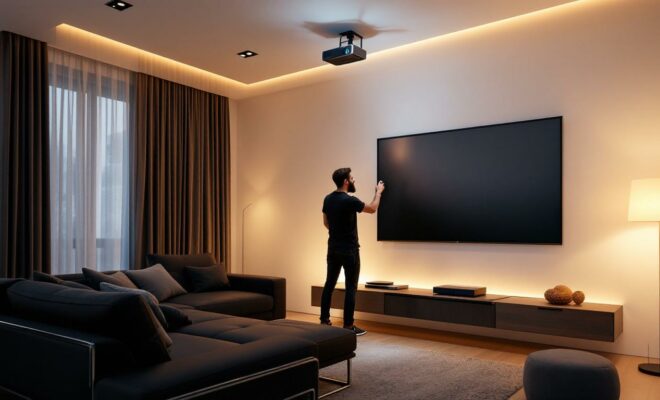
Preparing the installation: the basics of the Epson video projector
The first crucial step in setting up a home projector is identifying your needs and gathering all the necessary components. This initial phase ensures a straightforward installation. Make sure you have a suitable home theater amplifier or AV receiver, appropriate connection cables such as HDMI, and a projection screen or a smooth white wall to maximize image quality.
The inventory begins with the Epson projector, known for its robustness and image quality. Ensure compatibility between your projector and your existing home theater system. Carefully measure the distance between the projector and the screen to choose cables of the appropriate length. Investing in high-quality cables also guarantees optimal signal transmission, especially for high-definition video.
Before even starting the process, examine the available connection ports on the video projector and your audio-video system. Here’s a table summarizing the common connections:
| Port type | Video projector | Home cinema | Use |
| HDMI | Entrance | Exit | Audio + HD Video |
| VGA | Entrance | (Rare) Exit | Video only |
Choosing the right type of connection, ideally HDMI, will simplify installation and ensure the best audiovisual quality. Take the time to fully understand these elements to avoid problems and guarantee an optimized installation from the start.
Steps for connecting to the home cinema system
Once the equipment is in place, it’s time to connect the projector to your home theater system. By following our installation guide, even novices can easily complete this task. Here are the key steps for connecting it:
- Place the video projector and screen in the desired configuration, ensuring perfect alignment to avoid distortions.
- Connect one end of the HDMI cable to the output of your amplifier, then to the input of the video projector.
- Attach the speakers to the amplifier outputs for precise and clear sound.
- Connect all audio and video sources, such as Blu-ray players or game consoles, to the amplifier.
- Ensure optimal power supply using a reliable power strip.
The unique feature of the Epson projector lies in its ability to offer precise adjustments to fine-tune the image position and adapt to architectural constraints. These adjustments are achieved through keystone correction options that mitigate distortions.
This structured approach greatly simplifies the process and minimizes the likelihood of encountering technical problems. Modern equipment, particularly that found in Epson’s product lines, often incorporates calibration assistants to fine-tune the sound settings, optimizing the cinematic experience.
Audio and video optimization for superior quality
Optimization is the next step once the devices are connected. Precise settings are what separate a simple visual presentation from an immersive experience. To maximize your easy setup, start by adjusting the video settings on the amplifier, selecting the projector’s native resolution. Adjust the sharpness, contrast, and brightness according to your environment to achieve the perfect image.
According to recent technological studies, using calibration patterns and test audio tracks will improve the final result. Audio adjustments, meanwhile, require setting the type and number of speakers to ensure realistic sound spatialization. Modern systems include automatic or manual calibration to adjust sound levels.
Despite your preparation, some classic problems may arise, such as:
- No image: Make sure the video projector is set to the correct HDMI channel.
- Sound problems: Check the connections and the audio format selected in the settings.
- Distorted image: Adjust the projector alignment and use keystone corrections.
By adopting these troubleshooting methods, you optimize the performance of your home cinema system while avoiding the need to systematically resort to professional assistance.
Additional tips for a flawless installation
As the setup progresses, considering a few extra tips can make all the difference. For example, to maximize projection quality in a room, it’s important to control the ambient light. Opt for blackout curtains or blinds to ensure a dark environment, ideal for optimal video projection.
Proper ventilation prevents overheating, ensuring a longer lifespan for your equipment. Using a universal remote control also simplifies managing the various devices connected to your home theater system.
Finally, if space and aesthetics are priorities, opt for a minimalist installation projector with discreet and efficient wall or ceiling mounts. These practical considerations guarantee not only a beautiful appearance but also trouble-free operation.
Longevity and proper functioning also depend on regular maintenance. Remember to clean the projector lens to preserve image sharpness, a crucial element for any home projector.
Wireless alternatives and advanced connectivity
For wireless enthusiasts, these solutions offer unparalleled flexibility in setting up your installation. Wireless HDMI transmitters are a practical alternative to avoid clutter. While this option is subject to some interference, it remains a viable solution for quick installation.
Modern projectors with built-in Wi-Fi allow for direct streaming of digital content, and some models even include system extensions like Android TV. This development makes it easier to access streaming platforms without needing another device.
However, in this setup, the quality may vary slightly compared to wired connections, primarily regarding audio and video quality. Therefore, this option is best suited for light use in complex environments where connectivity might be difficult.
With this practical information, setting up a home cinema system with your Epson projector becomes a feasible and rewarding project. The immersive experience promises hours of exceptional entertainment in the comfort of your own home.
What is the best location for a video projector?
The ideal placement depends on the projector’s focal length and your room’s layout. Ultra-short-throw projectors can be placed very close to the screen, while long-throw projectors require more distance.
Can a video projector be connected without cables?
Yes, many modern video projectors support wireless connections such as Wi-Fi or wireless HDMI transmitters, although the quality may vary compared to wired connections.
How do I maintain a video projector?
Clean the lens regularly with specific products and ensure that the projector is well ventilated to prevent overheating.

